 RetroTagr
You remember roughly where. Let's find the exact spot.
Got a photo you can't quite place? Pin the exact spot on a map, then download a copy of your photo with the place saved inside.
Placing one photo by hand is free, with no account. Help from AI needs a free account and covers 15 photos a month.
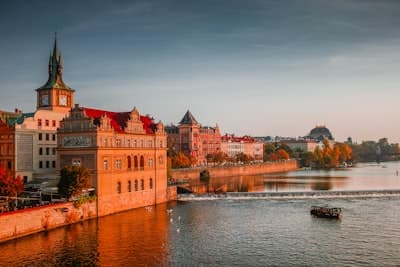
Chosen placePrague, Czechia
Illustrative example
The same photo, with its place saved.
The picture stays the same. RetroTagr saves the place you choose in a downloadable copy.
Chosen placePrague, Czechia
Three steps. You choose the place.
Upload a photo
Choose the picture you want to add a location to.
Choose the place
Search for a place you know, or ask AI for suggestions.
Download your photo
Get a copy with the location saved inside the file. Your original stays untouched.
A little context can help.
Add what you remember or up to three photos from the same trip. AI can suggest a place; you decide whether it fits.
Questions
What happens to my original photo?
It stays untouched. You download a separate copy with the chosen location saved.
What if I only know the approximate place?
Choose a point that represents the place you remember and save it as an approximate location.
Does AI choose the location for me?
No. AI can suggest a place from the photo and any context you add. You review the suggestion and decide whether it fits.
Got a photo you can't quite place?
Pin the spot yourself, or describe what you remember and check a suggested place.